
Let’s be real. Every time you order a delicious biryani or a creamy pasta from Zomato, a tiny thought crosses your mind:
“I could make this better.”
You have the recipes. You have the passion. But then reality hits.
Renting a shop costs a fortune. Hiring waiters is a headache. Buying fancy furniture? Forget it.
But here is the good news: In 2026, you don’t need a “Restaurant” to run a food business.
You just need a Cloud Kitchen. And yes, you can legally run one from your own kitchen at home if you follow the rules.
Imagine cooking your grandmother’s secret curry, packing it in a nice box, and having a Zomato rider deliver it to a hungry customer 5km away. You make money, they get good food, and you don’t have to pay ₹50,000 in rent.
I’m going to walk you through exactly how to do this. No fluff. Just the real steps to get your kitchen live on the app.
First, The “Home” Myth
Can you really cook from home?
Yes and No.
You can’t just cook in your pyjamas with your cat walking on the counter. Zomato and Swiggy are strict about hygiene.
To be on their platform, you need to be a Registered Business.
You need to show them that you are serious. This means getting licenses.
Don’t worry, it’s not as scary as it sounds. You don’t need a lawyer. You can do it yourself online.
Step 1: The “Paperwork” Shield
You need three main things to prove you are legit.
1. FSSAI License (The Food License):
This is non-negotiable. Without this, you don’t exist in the food world.
Go to the FoSCoS website. Apply for a “Petty Food Business” license. It costs ₹100 a year. It usually arrives in your email within a week. Print it and stick it on your fridge.
2. GST Number:
Do you need it? Technically, if you are small, no.
BUT… Zomato loves GST. It makes their billing easier. Plus, if you buy groceries in bulk, you can claim tax credits. It’s free to apply. Just get it done.
3. The NOC (No Objection Certificate):
This is the one nobody tells you about.
If you live in a society, your neighbours might hate the idea of delivery boys rushing in and out. Talk to your RWA (Society Secretary). Get a simple letter saying they are okay with it. If they aren’t, look for a small servant quarter or basement room nearby.
Step 2: Pick Your Battle (The Menu)
Don’t try to be a “Multi-Cuisine” restaurant.
If you sell Pizza, Burger, Dal Makhani, and Dosa… you will fail. Your kitchen will be a mess, and food waste will kill your profits.
Be a Specialist.
- Sell only “Home-Style Thalis” for office goers.
- Sell only “Healthy Salads” for gym freaks.
- Sell only “Late Night Parathas” for students.
A small menu (10 items max) means you buy fewer ingredients, cook faster, and waste less. In the food business, speed is everything.
Step 3: The Setup (Organised Chaos)
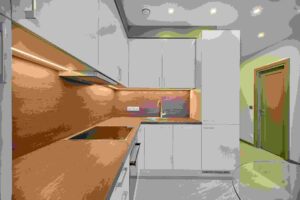
Your home kitchen is designed for a family of 4, not for 50 orders a day. You need to tweak it.
- Designate a “Packing Zone”: Clear a small table. Keep your boxes, tape, spoons, and tissues there. When an order comes, you shouldn’t be hunting for a stapler.
- Storage: Buy separate containers for your business ingredients. Don’t mix your personal milk with the business milk. It messes up your accounting (and your morning tea).
- Internet: Ensure your WiFi is solid. The Zomato Partner app needs to be online 24/7. If you miss an order notification, you lose money.
Step 4: The Listing (Digital Real Estate)
Now, go to the Zomato Partner website and sign up.
Upload your FSSAI, PAN, and Bank details.
The “Photos” Hack:
This is where you win or lose.
Customers can’t smell your food. They can only see it.
If you upload a dark, blurry photo of your curry, nobody will click.
Spend one Sunday cooking your best dishes. Take them to a window with natural sunlight. Click on high-quality photos. Make the food look irresistible.
A great photo increases orders by 50%. It’s a fact.

Step 5: Packaging is Your “Waitar”
In a normal restaurant, the waiter smiles and sets the mood.
In a Cloud Kitchen, your Box is the waiter.
If you send food in a leaky, cheap plastic bag, the customer feels cheap.
If you send it in a sturdy, branded box with a nice sticker, they feel premium.
- Tip: Write a small handwritten note: “Thank you, Sameer! Hope you enjoy the meal.”
It takes 10 seconds, but Sameer will remember it. He might even post it on Instagram. That is free marketing.
Step 6: Go Live and “Juice” the Algorithm
The day you go live, don’t expect a flood of orders. You are at the bottom of the list.
You need to wake up the algorithm.
- Run Ads: Zomato allows you to run “Cost Per Click” ads. Spend ₹100 a day for the first week. It pushes you to the top.
- Discounts: People love a deal. Offer “50% OFF” initially. Yes, you might make zero profit on those orders, but you are buying Customers. Once they taste your food, they will come back at full price.
- Reviews: Ask friends to order and leave genuine 5-star ratings with photos. Zomato pushes restaurants with good ratings.
The Reality: Is it Profitable?
Let’s do the math.
You sell a Chicken Rice Bowl for ₹200.
- Food Cost: ₹60 (Ingredients)
- Packaging: ₹15
- Zomato Fee: ₹50 (They take ~25%)
- Marketing: ₹20
Total Cost: ₹145.
Profit: ₹55 per order.
If you do just 20 orders a day (which is easy for a good kitchen), you make ₹1,100 daily profit.
That is ₹33,000 a month from your kitchen, without paying rent.
Scale that to 50 orders, and you are making serious money.
Final Advice
Starting is easy. Surviving is hard.
The first month will be exciting. The third month will be tiring.
You will have days where the rider is late, the milk spills, and a customer leaves a bad review.
Don’t quit. Reply to the review. Apologize. Fix the spill-proofing.
Cloud kitchens are a marathon, not a sprint.
But there is no better feeling than feeding a stranger and seeing a notification: “Sameer rated you 5 Stars: Best food I’ve had in ages!”
Get your license. Clean your kitchen. Go feed the
Links:-
- How to improve productivity in a small business 2026
- https://www.growthjockey.com/blogs/how-to-start-cloud-kitchen
“Disclaimer: Food business regulations change. Please check official FSSAI rules before starting.”